


“Provide 24/7 Support Without a Team using a free, no-code AI assistant to handle 80% of customer questions instantly, automating your support and reclaiming your time.”
It’s 3:17 AM on a Tuesday.
Your phone buzzes on the nightstand. That hollow, vibrating sound cuts right through your sleep. It’s an email. Subject: “URGENT: Question about my order.”
A special kind of dread washes over you, doesn’t it? It’s a mix of anxiety (is something wrong?) and exhaustion (can’t this wait?).
You are a solopreneur—a one-person business. You are the CEO, the marketing director, the product designer, the shipping department, and, yes, the 24/7 customer service representative.
This is the impossible tightrope you walk. You love the freedom. You love building your dream from the ground up. But you are chained to your inbox. Every “ping” is a potential fire to put out, a sale to be saved, or a simple question that, if unanswered, could cost you a customer.
You’re told that to succeed, you must provide instant, exceptional 24/7 customer service. But how? How can you possibly compete with massive companies that have entire floors of support agents working in shifts?
The conventional answer is: you can’t. You either burn yourself out trying, or you accept that you’ll lose customers who message you at 2 AM and expect an immediate reply.
I’m here to tell you that’s a false choice.
There is a way. There is a way to provide instant, accurate, and friendly support, 24/7/365, even while you are fast asleep, on vacation, or finally focusing on the one thing you’ve been trying to get done all week.
The solution isn’t to hire a team you can’t afford. It’s not about finding a “cheap VA” who will just follow a script.
The solution is to build a digital version of you. An AI assistant, trained on your brain, your policies, and your voice, that can handle 80% of your customer inquiries instantly.
This guide will show you exactly how to provide 24/7 support without a team. We’re going to transform you from a stressed-out support representative to a CEO who has a robust system working for you. And we’ll show you how to do it on a solopreneur’s “shoestring budget”—as in, for free.
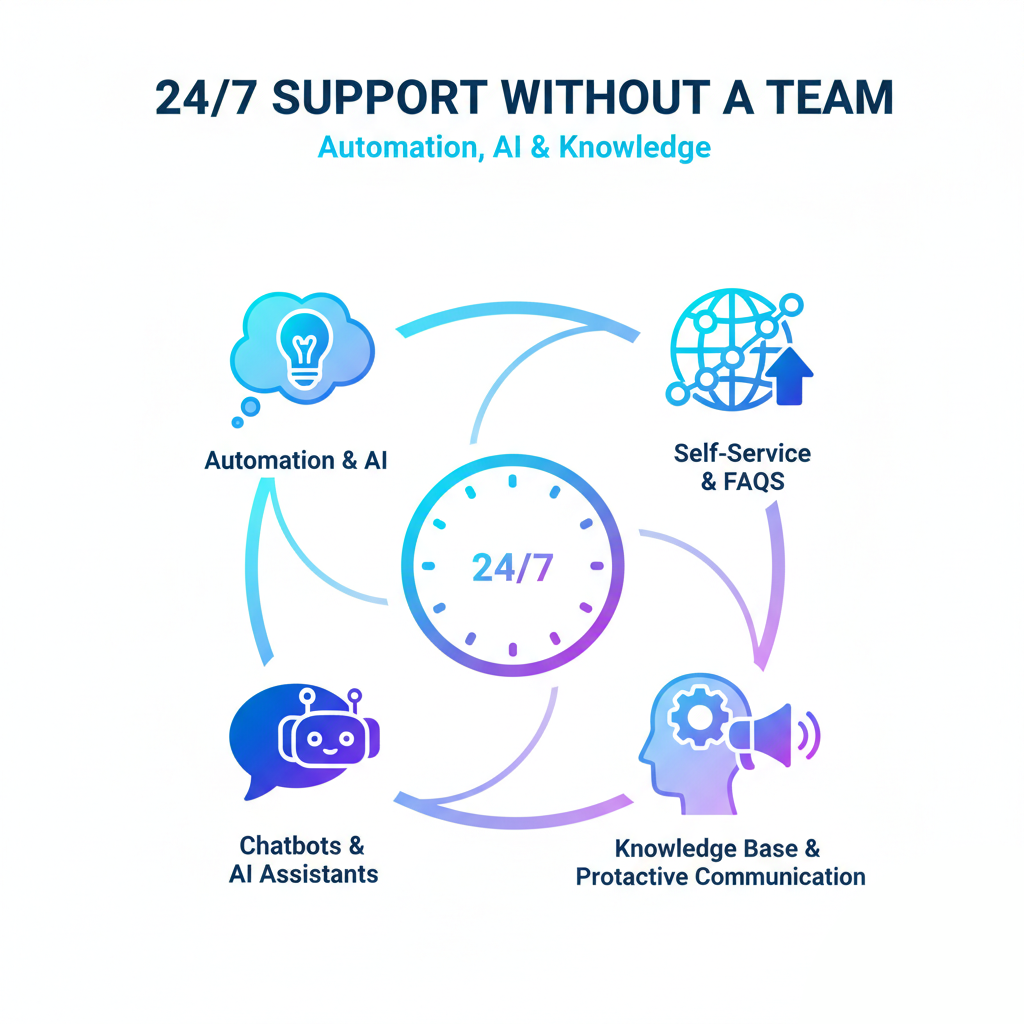
The Solopreneur’s Curse: The ‘Growth Paradox’
Let’s be honest about the problem first. As a one-person business, you thrive or fail based on your own efforts. This creates a painful and frustrating cycle that I refer to as the “Growth Paradox.”
It goes like this:
- You do excellent marketing.
- Your sales increase. (Yay!)
- Your customer base grows.
- The number of support questions explodes. (Oh no.)
- You spend all your time answering emails about shipping, refunds, and “how-to” questions.
- You have no time left for marketing or product development.
- Your growth stalls.
You become a victim of your own success. The very thing that proves your business is working—more customers—is the same thing that sinks your productivity and destroys your work-life balance.
Why ‘Just Hiring Someone’ Is a Trap
“But,” the online gurus say, “just delegate! Hire a Virtual Assistant!”
For a solopreneur, this is terrible advice. It ignores the reality of your situation.
1. The Cost Is Too High: True 24/7 coverage isn’t one person. It’s three people working 8-hour shifts. Even a single VA for a few hours a day costs hundreds, if not thousands, of dollars a month. That’s money that could be spent on ads, materials, or just paying yourself. This is the “shoestring budget support” reality. You don’t have corporate cash to burn.
2. The Training Is a Time-Vampire: No one knows your business like you. To hire a VA, you first have to create a massive training manual. You must teach them your brand voice, product nuances, and specific policies. This is weeks of work. And what happens when they get it wrong? You have to clean up the mess.
3. The ‘Human’ Element Is Your Superpower: People buy from you, the solopreneur, because they like you. They want your story, your passion, your personal touch. A generic, script-reading VA can shatter that connection in a single, “canned” response. You’ve spent years building that brand trust. How can you outsource that?
4. It’s a Single Point of Failure: What happens when your one VA gets sick? Quits? Going on vacation? You’re back to square one, but now you’re also scrambling to hire and train a new person.
Hiring isn’t the solution. It’s just trading one set of problems for another, albeit a more expensive one. You don’t need more people. You need better systems.
The Old Way vs. The New Way of Customer Support
For decades, “automate customer support” meant one of three equally frustrating things. Let’s refer to this as the “Old Way.”
The Old Way (And Why It Fails)
1. The Static FAQ Page:
- The Idea: “I’ll just write down all the answers on one page. People will read it!”
- The Reality: No one reads your FAQ page. People don’t want to search for an answer. They don’t want to hunt through 50 different questions to find their specific one. They want an answer. Now. So, they ignore your beautifully crafted FAQ page and send you an email anyway.
2. The “Dumb” Chatbot:
- The Idea: “I’ll add a chatbot with pre-set buttons!”
- The Reality: We have all hated these. A little bubble pops up: “Hi! How can I help?” You’re given three buttons: “Sales,” “Support,” and “Pricing.” Your question is, “What’s the difference in materials between your basic and premium widget?” This doesn’t fit any of those buttons. You type your question. The bot replies: “Sorry, I didn’t get that. Please choose ‘Sales,’ ‘Support,’ or ‘Pricing. ‘” This is worse than no help at all. It’s actively frustrating your customers.
3. The Email Auto-Responder:
- The Idea: “I’ll set up an auto-reply so people know I got their message.”
- The Reality: “Thank you for your message. We’ve received your query and will respond in 24-48 business hours.” This is a digital “take a number” sign. In the age of Amazon Prime and instant gratification, “48 business hours” is an eternity. A customer with a pre-sale question will not wait. They will click “back,” go to Google, and buy from your competitor.
All these “solutions” fail because they prioritize your time over the customer’s experience. In today’s market, that’s a losing proposition.
The New Way: The AI Assistant Revolution
Now, let’s discuss the new approach.
What if your chatbot wasn’t “dumb”? What if it was brilliant? What if it had read every single page of your website, memorized all your product specs, and understood your refund policy better than you do?
This is the power of a modern AI assistant for solopreneurs.
- A “Bot” follows a script. If-this-then-that.
- An “Agent” understands intent.
This is the critical difference. You don’t give an AI agent a script. You provide it with knowledge. You “feed” it all your business information:
- Your entire website
- Your product descriptions
- Your shipping policies
- Your blog posts
- Your past (good) support replies
- Your pricing tables
- Your technical manuals
The AI “reads” all of this and builds its own “brain”—a brain that is a perfect, digital model of your business knowledge.
Let’s see it in action:
A customer lands on your site at 3:18 AM. They are browsing your custom jewelry.
Customer asks: “Hey, I live in Canada and I’m allergic to nickel. Is your ‘Sunrise’ necklace safe for me, and can you get it to me before my anniversary on the 25th?”
The “Old Way” Bot: “Sorry, I don’t understand. Please choose ‘Sales’ or ‘Support’.” (The customer leaves, frustrated.)
The “New Way” AI Assistant: “That’s a great question! I’ve checked the product specs, and the ‘Sunrise’ necklace is made from hypoallergenic, nickel-free 925 sterling silver, so it should be perfectly safe for you. Regarding shipping to Canada, our standard shipping takes 7-10 business days, and express shipping takes 2-3 business days. If you order today (November 13th) with express shipping, it should arrive well before your anniversary on the 25th! Would you like a link to see the matching earrings?”
BAM.
The AI just did three incredible things:
- It understood a complex, multi-part question.
- It cross-referenced product data (materials) and policy data (shipping times).
- It answered with confidence, empathy, and even upsold the customer.
All while you were fast asleep. The customer is delighted, makes the purchase, and you wake up to a sales notification instead of a support ticket.
This is how you provide 24/7 customer service. You stop being the bottleneck. You build a system that is a 24/7 support.
How to Build Your 24/7 Support Engine (In a Single Afternoon)
“Okay, this sounds amazing,” you’re probably thinking. “But I’m a baker/designer/consultant, not a Silicon Valley programmer. This sounds complicated and expensive.”
Five years ago, you’d be right. Today, you are wrong.
The rise of “no-code” platforms means you can build this entire system yourself, without writing a single line of code. And with the right tool, you can do it for free.
Here is the practical, step-by-step process.
Step 1: The ‘Brain Dump’ (Gathering Your Knowledge)
This is the only “work” you have to do, and it’s mostly just organizing. Your AI can only be as smart as the information you give it. So, you need to gather its “textbooks.”
Go to your computer. Create a new folder. Call it “AI Brain.”
Now, start dragging files into it. Don’t overthink it. Just gather everything.
- Product & Service Docs: Export your product lists, service descriptions, feature lists, and pricing. A simple .txt file or .csv is perfect.
- Policy Docs: Find your Shipping Policy, Refund Policy, Terms of Service, and Privacy Policy. Suppose they’re on your website, great. Suppose they’re in a Google Doc, even better. Save them as PDFs.
- The “FAQ Goldmine”: This is the most important one. Open your email “Sent” folder. Find the last 20-30 support questions you answered personally. Copy the question and your perfect, friendly, on-brand answer into a single text document. Call it my_best_answers.txt. This document teaches the AI your voice.
- Your Website: Make a list of the most critical pages on your website: your “About” page, your “Contact” page, and your main product pages. You’ll just need the URLs.
- Blog Posts: Do you have a blog? Your articles are amazing training data. They teach the AI how you think and how you explain complex topics.
That’s it. You’ve just created the curriculum for your new “digital employee.” This entire process may take 30-60 minutes.
Step 2: Choose Your (Free) No-Code Platform
This is the “engine” that will power your AI. You need a platform that is:
- No-Code: You should never have to look at a line of code. It should be all “upload file” and “click button.”
- Fast: It should be able to “train” (read and understand your documents) in minutes, not days.
- Free: You are a solopreneur. You need free customer service tools that are powerful, not crippled “trials” that lock features after 10 messages.
You need a tool specifically designed for this. (And yes, I have the perfect one for you, but we’ll get to that in a minute).
Step 3: Train Your AI Assistant
“Training” is a big, scary word. In reality, it just means “uploading.”
You’ll go to the platform, create a new “agent,” and you’ll see a screen that basically says, “Feed me knowledge.”
- You’ll upload the .txt files, PDFs, and .csv files from your “AI Brain” folder.
- You’ll paste in the URLs of your website pages.
- You’ll click one button. It will probably say “Train” or “Create Agent.”
You’ll wait about 2-5 minutes.
And… you’re done. You’ve just built your AI assistant. Seriously. It’s that fast.
Step 4: Test, Tune, and Deploy
Now for the fun part. Before you unleash it on your website, you get to talk to it. A good platform will give you a private “testing” window.
Be a demanding customer. Try to trick it.
- You: “What’s your refund policy?”
- AI (citing your refund.pdf): “Our policy is that we accept returns within 30 days of purchase, provided the item is in its original condition…”
- You: “Okay, but what if I used it just once?”
- AI (understanding the nuance): “According to the policy, the item must be in its original, unused condition to be eligible for a refund.”
- You (trick question): “Do you ship to the moon?”
- AI (using common sense and your policy): “While we love the enthusiasm, our shipping policy is currently limited to addresses on Earth. We can, however, ship to almost any country! Where are you located?”
You’ll be amazed. It already knows your business.
If it ever makes an error (which is rare, provided you provide it with good data), you simply upload a corrected text file and “re-train” it in seconds. It gets smarter over time.
Once you’re satisfied, the platform will provide you with a small snippet of code. You copy this. You paste it into your website (most platforms, such as Shopify, WordPress, and Squarespace, have an easy “paste code here” box).
Refresh your website.
A beautiful, small chat bubble is now in the corner. It’s live. Your 24/7 support agent is available to assist you. And you… You are free.
The Ripple Effect: How This Changes Everything for Your Business
Okay, so you’ve built your agent. Your inbox is quieter. This is the apparent win. However, the real benefits extend much deeper. This one move to automate customer support creates a ripple effect that transforms your entire business.
1. You Will Finally, Finally Get to Sleep
I am not exaggerating. The single most significant benefit is to your mental health.
The solopreneur’s curse is that you can never thoroughly check out. You’re at dinner with your family, but part of your brain is preoccupied with checking your inbox. You’re on vacation, “checking in” on your phone every 30 minutes.
When you know you have an intelligent, capable agent handling the front lines, you can actually disconnect. You can turn off notifications. You can be present in your own life.
Your business is still running. Customers continue to receive instant, high-quality answers. Your sales are still coming in. But you are no longer the cog that makes the machine turn. The system is the machine. This is the key to building a sustainable business, rather than a high-stress job.
2. You Will Reduce Support Emails by 80% (or More)
Think about your inbox right now. How many emails are just noise?
- “Where is my order?”
- “What are your hours?”
- “Do you offer this in blue?”
- “I lost my password.”
Imagine 80% of those… just gone. Handled. Resolved without you ever seeing them.
Your inbox will transform. It will stop being a “to-do” list of chores and become a “high-priority” list of opportunities. The only emails that get through are the ones that truly need your human touch:
- “Hi, I’m a journalist and I’d like to feature you in our magazine.”
- “Hello, I represent a retail chain, and I’m interested in a bulk order.”
- “I have a complex custom project. Can we set up a call?”
You’ve filtered the noise. You’re left with the signal. This is how you stop working in your business and start working on your business.
3. You Will Turn Customer Support into a 24/7 Sales Engine
Let’s shift our thinking. This isn’t just a defensive tool to reduce problems. It’s an offensive tool to increase sales.
Think about the “customer journey.” A potential buyer lands on your site. They are interested, but they have a question. This question is a buying objection. It’s the one thing stopping them from clicking “Add to Cart.”
Scenario (Without AI):
- Time: 11:00 PM (Your time).
- Customer: “Does your software integrate with QuickBooks?”
- Action: They email you. You’re asleep.
- Result: They wake up the next morning, conduct further research, and discover a competitor that clearly states it has a QuickBooks integration. They buy from them. You lost the sale without even realizing it.
Scenario (With Your AI Assistant):
- Time: 11:00 PM.
- Customer: “Does your software integrate with QuickBooks?”
- AI (trained on your tech_specs.pdf): “Yes, it does! We have a direct, one-click integration with QuickBooks Online. You can sync your invoices and expenses automatically. You can learn more in our help article here: [link].”
- Action: The customer’s objection is instantly overcome. They have the confidence to buy.
- Result: Sale made.
Your AI assistant is the best salesperson you could ever have. It’s available 24/7, knows your product inside and out, and is infinitely patient. It’s the “passive income support” system that actively closes deals for you.
4. You Get a Free, 24/7 Market Research Team
The chat logs from your AI assistant are a goldmine of business intelligence.
Every week, spend 15 minutes reviewing the questions people ask. You will discover precisely what your customers are thinking.
- Are 50 different people asking, “Do you ship to Australia?” It may be time to add shipping to Australia!
- Are they constantly confused about your “Pro Plan” vs. your “Premium Plan”? That’s a sign that your website copy is unclear and needs revision.
- Are they all asking for a feature you don’t have? You just discovered your next product update, with proven demand.
This is your customer base telling you precisely what they want and what they’re confused about. You don’t have to guess. You just have to listen.
Your Perfect Solopreneur Partner: Scalewise.ai
“Okay, I’m sold. I’m 100% in. I need this yesterday. What tool do I use?”
You could spend the next two weeks researching platforms, comparing complex pricing tiers, and signing up for 14-day trials that expire just when you get them working.
Or, you could use the tool that was built by solopreneurs for solopreneurs.
We built Scalewise.ai because we lived this exact pain. We were the ones answering emails at 3 AM. We were the ones frustrated by “dumb” bots and expensive “solutions” that were built for massive corporations, not for a one-person business.
So, we built the tool we wished we had.
Scalewise.ai is the perfect partner for solopreneurs. It is an entirely free, mighty, and ridiculously easy-to-use no-code AI Agent Builder.
Here’s why it’s the only tool you need:
- It Is Genuinely Free. Forever. This is not a “free trial.” This is not a “freemium” plan, where you receive 10 messages and then encounter a paywall. We believe that powerful AI tools should be accessible to everyone, not just giant companies. A free customer service tool should actually be… free. You can build, train, and deploy your agent on your site today for $0.
- It’s “No-Code” to Its Core. We designed Scalewise.ai for creators, consultants, and e-commerce store owners, not developers. If you can drag-and-drop a file and copy-paste text, you have all the technical skills you need. Our interface is clean, simple, and has no learning curve.
- Build Your 24/7 Agent in a Single Afternoon. We’re not kidding. Gather your files (Step 1). Upload them to Scalewise.ai (Step 3). Test your agent. Copy the one line of code onto your site. You can go from “stressed and overwhelmed” to “fully automated 24/7 support” before dinner.
Scalewise.ai gives you the power of a dedicated, round-the-clock support team, without any of the cost or the headaches.
It lets you stop being the bottleneck and start being the visionary.
It allows you to reclaim your time, focus, and sanity.
Your business deserves to thrive, and you deserve to have a life. Your AI assistant, powered by Scalewise.ai, can handle the front lines. You go and build your empire.
Are you ready to stop being the 24/7 support rep?
Are you ready to reclaim your time?
Click here to build your free 24/7 AI assistant with Scalewise.ai and reclaim your time today.
Frequently Asked Questions (FAQ)
Q: Will an AI assistant sound robotic and scare away my customers?
A: Only if you sound robotic! The beauty of a modern AI assistant is that it learns from you. When you upload your “FAQ Goldmine” document with your past answers, it learns your tone, your phrasing, and your brand voice. If you’re friendly, helpful, and empathetic, your AI will be too. It’s your voice, just automated.
Q: Is it really, truly free? What’s the catch with Scalewise.ai?
A: It is really, truly free. There’s no catch. Our mission is to empower solopreneurs and small businesses. By providing a genuinely powerful free tool, we can build a community and a platform that grows with you. We’re betting that the value we provide will make you a fan for life.
Q: I’m not technical at all. Like, at all. Can I really set this up?
A: 100% yes. We built Scalewise.ai for you. The entire process is visual. You click “Upload File.” You click “Add URL.” You copy and paste. If you’ve ever attached a file to an email or written a blog post, you are more than qualified.
Q: What if the AI gives a wrong answer?
A: This is a great question. First, this is very rare if you provide good, explicit “knowledge” documents. The AI “cites its sources,” so it will only provide answers based on the information you provided. Second, if you do find an answer you don’t like, “tuning” is simple. You just update your knowledge document (e.g., add a new .txt file with the correct answer) and click “re-train.” The agent is updated in seconds.
Q: How is this different from just putting a search bar on my FAQ page?
A: A search bar is “dumb.” It just matches keywords. If a user types “return,” it displays 10 articles that contain the word “return.” An AI assistant understands intent. A user can ask, “I bought a shirt last week, but it’s the wrong size. Can I swap it?” The AI understands this is a “return/exchange” question, checks your policy for the “30-day” window, and gives a direct, conversational answer. It’s the difference between a library index card and a helpful librarian.
Q: In addition to support, can I use this for other things?
A: Absolutely! This is just the beginning. You can use your AI assistant for lead generation (“Hey, before you go, would you like a 10% off coupon?”), user onboarding (“Welcome! Let me show you how to set up your account.”), or even as an internal tool (a “brain” for yourself to find your own policies quickly). It’s a true digital partner for your solo business.