


“Reduce front desk stress and phone calls using an AI knowledge base for Veterinary Clinics. Instantly answer repetitive FAQs, streamline refills, and improve 24/7 client communication.”
The phone rings.
It’s the fifth time in ten minutes. On line one, a pet owner is requesting a price check for a nail trim. On line two, another client is asking if you’re open on Saturday (you are, and it’s on the front door). In front of you, a distressed client is trying to check in their very sick dog, and your computer is taking just a moment too long to load.
This is the daily reality for a veterinary front desk team.
You are the gatekeeper, the traffic controller, the financial counselor, and the first line of emotional support. You are the heart of animal hospital management, and you are under an immense, constant barrage of stress.
The work is emotional by nature. You celebrate new puppies and kittens. You also comfort owners on the worst day of their lives. This “compassion fatigue” is real. However, a vast and often overlooked source of this stress isn’t just the big emotional moments. It’s the “death by a thousand cuts” from the relentless, ringing phone.
It’s the same questions, over and over.
- “What are your hours?”
- “How much is an exam?”
- “What do I need to do before my dog’s surgery?”
- “Can I get a refill on Fluffy’s allergy meds?”
- “Are you taking new clients?”
Each call is an interruption. Each interruption breaks your focus. It pulls you away from the client standing before you. It delays the check-in, the check-out, or the critical billing task you were almost finished with.
The problem isn’t that pet owner questions are bad. Clients should ask questions. The problem is that the telephone is a terribly inefficient tool for answering 90% of them.
But what if there was a better way? What if you could build a filter?
Imagine a “digital receptionist” working alongside your team. This assistant works 24/7. It never gets tired. It never sounds frustrated. And it has the perfect, vet-approved answer to every single one of those repetitive questions. It can handle hundreds of inquiries at once, all without the phone ever ringing.
This isn’t science fiction. This is the practical power of an AI knowledge base for veterinary clinics.
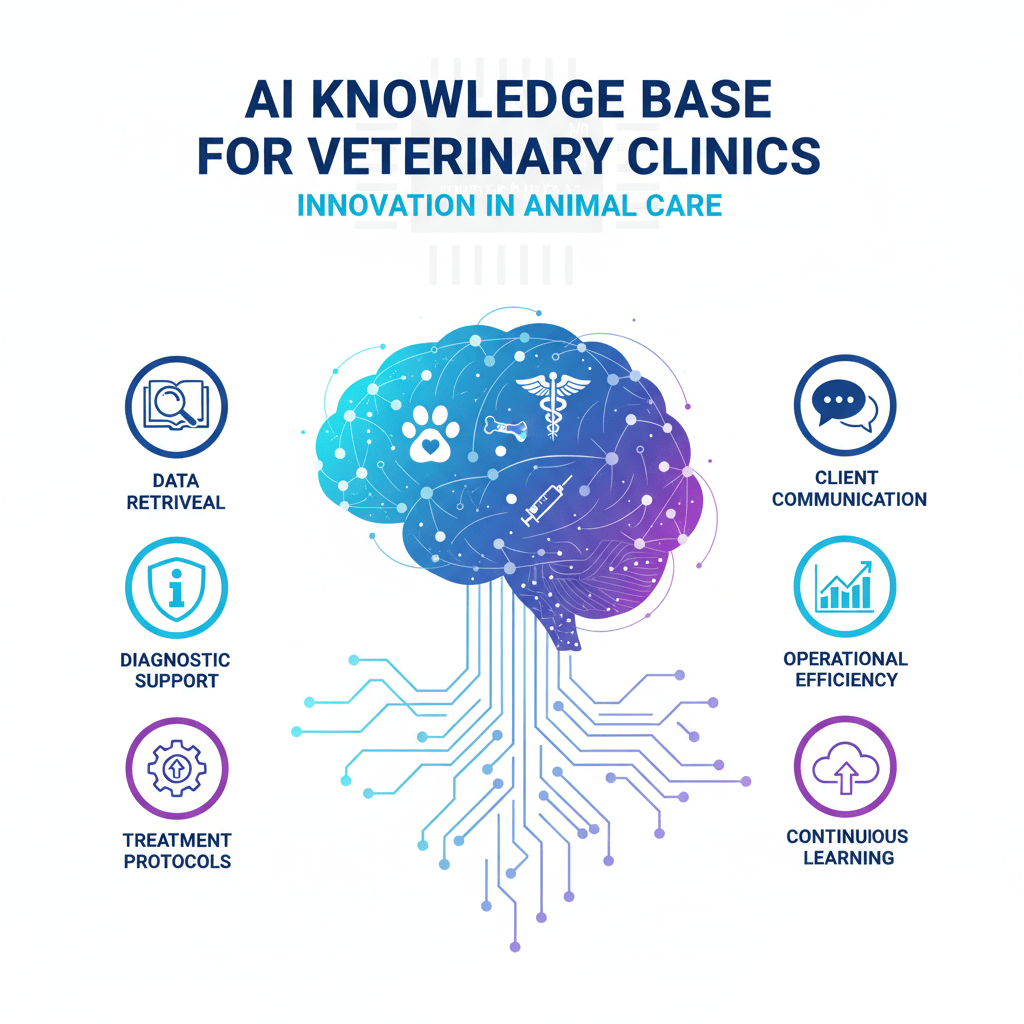
It’s a simple, powerful tool that you load with your information. Your policies, your hours, your pre-op instructions, your FAQs. And it, in turn, provides instant answers to your clients on your website, dramatically reducing the daily stress on your invaluable front desk team.
The Anatomy of a Ringing Phone: Why Your Front Desk is Overwhelmed
To address the problem, we first need to understand its scope. Let’s break down the types of calls that flood the lines. For practice managers, this isn’t just about managing calls; it’s about managing your team’s energy and focus. When your most skilled team members spend hours on tasks that a website could handle, you’re losing efficiency and burning out your best people.
Think about a typical day. The phone calls are a constant stream, and they generally fall into a few categories.
1. The “Basic Info” Call
These are the most common and, frankly, the most frustrating.
- The Call: “Hi, what time do you close today?”
- The Call: “Are you open for emergencies?”
- The Call: “What’s your address? Is there parking?”
The Problem: This information is likely to be on your website’s “Contact Us” page. It’s on your Google Business Profile. Yet, clients still call. Why? Because it’s a habit. It often feels easier to talk to a person than to click three times to find a page.
The Impact: This call, while simple, is a full-stop interruption. A receptionist has to stop their current task, pull up the schedule (just to be sure), and confirm the hours. It’s a 60-second interruption that happens 20-30 times a day. That’s 30 minutes of lost time, spread out in a way that shatters concentration.
2. The “Procedural” Call
These calls require a bit more information, but are still highly repetitive.
- The Call: “I’m bringing my cat in for a dental tomorrow. What do I do? Does he fast?”
- The Call: “My dog was just neutered. His incision looks… okay, I think. What’s normal?”
- The Call: “I just found a tick on my dog. What’s the right way to remove it?”
The Problem: You have care sheets for this. You probably handed the client a pre-op instruction sheet or a post-op care guide. They lost it. Or they didn’t read it. Now they’re worried, and they need reassurance.
The Impact: Your team must retrieve the patient file, confirm the procedure, and then read from a script or, more likely, recite the instructions from memory. This takes 3-5 minutes. It’s vital information, but it’s standardized information. No medical judgment is being made on this call; it’s a simple transfer of your clinic’s established protocols.
3. The “Administrative” Call
These are the nuts and bolts of running the practice, and they eat up enormous amounts of time.
- The Call: “Hi, I need to get more of Max’s heartworm pills. Can I just swing by?” (This is the start of the prescription refill requests workflow.)
- The Call: “I’m new to the area and need a vet. Are you taking new clients? What do I need to do?” (The new client registration process).
- The Call: “I need a copy of my dog’s vaccine records to send to the groomer.”
The Problem: These calls initiate a process. They require data entry. The refill request needs a doctor’s approval. The new client requires a chart to be created. The vaccine record needs to be found and emailed or faxed.
The Impact: These calls are bottlenecks. A receptionist has to take down all the info, spell the name correctly (“Is that Max with an ‘x’ or Maxx with ‘xx’?”), and create a task for a technician or doctor. It’s a multi-step process that starts with a phone call, creating a to-do list that pulls them away from other duties.
4. The “Mild Panic” Call
These are the non-emergency “emergencies” that cause clients to panic.
- The Call: “My cat threw up. Is it an emergency?”
- The Call: “My dog ate a grape! I read on Google that it’s poison!”
- The Call: “Why is my puppy sleeping so much?”
The Problem: The client is worried. They go to “Dr. Google,” get conflicting and often terrifying information, and then call you in a panic. They need professional guidance.
The Impact: This is where after-hours triage and even during-hours triage become critical. Your team must calm the client down and ask the right questions to distinguish between a true emergency (such as a multiple-grape ingestion) and a standard, non-lethal issue. This takes time, skill, and emotional energy.
The common thread? All of these calls drain your team’s most valuable resources: their time and their emotional reserves. This is where you can improve client communication by fundamentally changing the method of communication.
The Solution: Your 24/7 “Digital Receptionist”
Now, imagine a world where you could deflect 30%, 40%, or even 50% of those calls, not by ignoring clients, but by empowering them.
This is the job of an AI knowledge base for veterinary clinics.
Let’s be clear about what this is. It’s not a cold, unfeeling robot. It’s an innovative tool that you, the practice manager, control. You feed it your answers, your clinic’s voice, and your protocols. It’s an extension of your team’s expertise.
Here’s how it works:
- You gather all your standard documents, including your FAQ page, pre- and post-op care sheets, vaccine schedules, clinic policies, and team bios.
- You upload these documents to an AI agent builder.
- This tool “learns” all of your clinic-specific information.
- You then place a simple chat widget on your website.
The result? A client visits your website at 10 PM on a Friday. They have a question. Instead of calling your after-hours service (for a non-emergency) or falling down a Google rabbit hole, they see the chat icon.
Client: “My dog has surgery on Monday. What time do I need to stop feeding him?” Your AI Assistant: “Thanks for asking! For all routine surgeries, we kindly request that you please refrain from eating after 10 PM the night before. Water is fine to leave out overnight, but please remove it the morning of the surgery. Please arrive for your check-in at 7:30 AM.”
The client gets an instant, accurate answer. They feel confident and prepared. Your team… well, your team is at home, relaxing. They were never even interrupted.
This is called deflection. It’s the single most powerful strategy to reduce phone calls and give your team their sanity back.
Taming the Chaos: Practical Uses for a Vet Knowledge Base
Let’s get specific. How does a vet’s knowledge base solve the daily problems we identified? It’s about targeting those specific, repetitive workflows and moving them from the phone to your website.
Handling Endless Pet Owner Questions
Your clients have endless questions, and that’s a good thing. It means they care. But your team can’t be a 24/7 encyclopedia. Your AI assistant can.
- Question: “What vaccines does my new puppy really need?”
- AI Answer: (Trained on your vaccine protocol) “That’s a great question! We follow the AAHA guidelines, which include core vaccines like [List]. We also recommend [List of lifestyle vaccines] based on your puppy’s risk. You can read our full puppy vaccine philosophy here [link to blog]. Let’s get your new friend scheduled!”
- Question: “Can I give my dog Benadryl for allergies?”
- AI Answer: (Trained on your pharmacy policy) “Some over-the-counter medications can be used, but the dosage is critical and it’s not safe for all pets, especially those with other health conditions. We cannot give dosing advice for a pet we haven’t seen. Please call us to schedule a consultation with one of our doctors to find the safest solution for your pet’s allergies.”
Notice that the AI provides value (what the standard is) while protecting the clinic (by not giving specific medical advice) and driving the correct following action (booking an appointment).
A Smarter Approach to After-Hours Triage
The “mild panic” calls are the most dangerous ones to leave to Google. An AI assistant, trained on your triage protocols, becomes a robust safety net.
- Client (at 2 AM): “My dog just ate a whole bar of dark chocolate!”
- AI Answer: “This can be a serious emergency. Toxin ingestion is time-sensitive. Do not wait. Please call our emergency partner, [Name of ER Clinic], at [Phone Number] or the Pet Poison Helpline immediately. Their information is [Link].”
- Client (at 9 PM): “My cat threw up once but is acting normal.”
- AI Answer: (Trained on your triage sheet) “I understand you’re worried. A single episode of vomiting, when the pet is otherwise bright and normal, is often not an emergency. Here are some key signs to monitor: [List of signs, such as lethargy, repeated vomiting, etc.]. If you notice any of these, seek emergency care immediately. If your cat remains stable, please withhold food for the next 4-6 hours, then offer a small, bland meal. Please call us in the morning to let us know how they are doing or to book an exam.”
This is a massive win. You have provided immediate, calming, and medically sound guidance. You’ve filtered a true emergency (chocolate) to the right place. You’ve safely de-escalated a non-emergency (one-time vomit), saving the client a costly ER visit and your answering service a non-urgent page.
Streamlining Prescription Refill Requests
Phone tag for refills is a nightmare. It’s inefficient for the client and a time-sink for your team.
- Client: “I need a refill.”
- AI Answer: “I can help with that! We can refill any prescription as long as your pet has been seen by one of our doctors within the last 12 months, in accordance with state law. To submit your request, I just need a few details. Please provide:
- Your Full Name
- Your Pet’s Name
- The Medication and Dose (e.g., Carprofen 50mg)
- The Quantity You Need
- Please note that all refill requests require a 24-hour review and approval by a doctor. We will text or call you as soon as it’s ready for pickup!”
The AI can then be set up to email this structured information directly to your pharmacy team’s inbox. No more messy voicemails. No more missing information. Just a clean, actionable request.
Perfecting New Client Registration
First impressions matter. When a potential new client calls and is put on hold for ten minutes, you risk losing them.
- Client: “Are you taking new clients?”
- AI Answer: “Yes, we are! We would be honored to care for your pet. You can get started right now.
- To save time, please fill out our New Client Registration form here: [Link to your e-form].
- You can learn about our amazing doctors here: [Link to ‘About Us’].
- Here are our hours and location: [Link to ‘Contact’].
- Once you’ve filled out the form, please give us a call during business hours to schedule your first appointment, or let me know if you’d like to request an appointment time!”
You’ve captured their business, impressed them with your efficiency, and gathered all their info… all while your team was busy with the pets in your building.
The Ripple Effect: The True Benefits of a Quieter Phone
When you successfully reduce phone calls, the benefits ripple out to every part of your practice. This is about more than just convenience; it’s about fundamentally changing your work environment for the better.
Benefits for Your Front Desk Team:
- Dramatically Lower Stress: The constant, nagging ring is gone. The pressure to be in three places at once eases.
- Fewer Interruptions: Team members can now complete tasks without interruption. This “deep work” (such as processing insurance claims or preparing surgical estimates) is completed faster and with fewer errors.
- Higher Job Satisfaction: When your team can focus on what they’re best at—caring for clients and pets, managing complex appointments, and supporting the medical team—they feel more effective and valued.
- Reduced Burnout and Turnover: Happy, supported staff stay. The cost of hiring and training a new receptionist is significant. An AI knowledge base is a free tool that protects your most valuable (and expensive) asset: your experienced people.
Benefits for Your Clients:
- Instant Gratification: No phone trees. No waiting on hold. Just instant answers, 24/7.
- Empowerment: Clients feel more in control. They can find information on their own time, in their own way.
- A Better Experience: A modern, efficient, and helpful website makes your clinic look professional and well-run. It shows you respect their time.
- Trusted Information: You are pulling them away from “Dr. Google” and keeping them in your ecosystem, where they get answers you have approved. This builds trust and compliance.
Benefits for Your Practice & Animal Hospital Management:
- Increased Efficiency: Your team can handle more clients and more complex tasks with the same (or less) effort.
- Valuable Data: An AI knowledge base for veterinary clinics logs the questions clients ask. As a practice manager, this is invaluable. Are you suddenly getting 50 questions a week about “kennel cough”? It might be time for a social media post or an email blast. You can anticipate client needs before they even make a call.
- Better Client Acquisition: A smooth, easy new client registration process means you convert more website visitors into new patients.
- A Consistent Standard of Care: The AI consistently provides accurate pre-operative instructions. It always follows the correct refill protocol. It standardizes your communication, ensuring that every client receives the same high-quality information every time.
The “How-To”: Your Easy Path to a Digital Receptionist
At this point, you might be thinking, “This sounds amazing, but I’m a practice manager, not an IT expert. This must be expensive, complicated, and time-consuming.”
In the past, you would have been right. But today, the tools have changed.
You can build a robust, custom AI knowledge base for veterinary clinics in less than an hour, and you can do it for free.
The tool you need is Scalewise.ai.
Scalewise.ai is a free and incredibly easy-to-use AI Agent Builder. It was designed specifically for busy professionals like you who need a solution that just works.
Here is the entire process. It’s simple.
Step 1: Gather Your Knowledge. Create a folder on your computer. Into that folder, drag and drop all of your trusted documents.
- Your main client-facing FAQ sheet.
- Your pre-operation instruction sheet (for spays, neuters, dentals).
- Your post-operation care guides.
- A document with your hours, address, and emergency contact info.
- Your vaccine protocol information.
- Your policy on prescription refills.
- Any “About Us” or “Our Services” text from your website.
Step 2: Sign up for Scalewise.ai. It’s free. You don’t need a credit card.
Step 3: Upload Your Documents Once you’re in, you simply upload that folder of documents. You just drag and drop them. Scalewise.ai will “read” and “learn” all of that information in a few minutes. It’s building the “brain” of your digital receptionist.
Step 4: Test Your Assistant. A “test” window will appear. Ask it questions, just as you would ask a child.
- “Are you open on Sundays?”
- “What’s your refill policy?”
- “What do I do before a spay?”
You will see it generate perfect answers based only on the documents you provided. It will not “search Google” or make things up. It is a closed system, which is what makes it so safe and reliable.
Step 5: Add it to Your Website. Scalewise.ai will provide you with a single line of code. You don’t even need to know what it means. Just copy that line. Then, paste it into the “header” or “footer” section of your website (in WordPress, Squarespace, Wix, or your preferred platform; this is a simple setting).
That’s it. You are done.
A chat icon will now appear on your website. Your team’s digital assistant is now on duty, ready to answer questions and deflect calls.
Conclusion: Give Your Team the Shield They Deserve
Your front desk team is the foundation of your clinic. They are skilled, compassionate, and essential. But in most practices, they are unprotected from the constant barrage of low-value, high-stress interruptions.
The ringing phone is the enemy of a calm, efficient, and happy practice.
You cannot stop pet owner questions, and you shouldn’t want to. But you can change the channel they use to get answers.
By implementing an AI knowledge base for veterinary clinics, you are not replacing your team. You are shielding them. You are building a system that filters out the repetitive noise, allowing your human staff to focus on the human work that truly matters: caring for the pets and people right in front of them.
You can empower your clients with 24/7 answers. You can improve client communication and reduce phone calls overnight. You can give your receptionists the greatest gift of all: a quieter phone and the breathing room to do their best work.
Start today. Gather your FAQs. Sign up for a free tool like Scalewise.ai. In less time than it takes to get through a busy morning’s worth of calls, you can have a solution up and running.
Frequently Asked Questions (FAQs)
Q: Will an AI assistant give out dangerous medical advice?
A: No, because you control its knowledge. An AI knowledge base like the one built with Scalewise.ai only answers based on the documents you upload. It will not “Google” an answer. You train it on your safe, vet-approved triage protocols. Its primary function is to know when to say, “This is an emergency, go to [Your ER Partner]” or “This requires an exam, please call us to book.”
Q: Will this AI knowledge base replace my receptionists?
A: Absolutely not. It is a tool to support your receptionists. An AI cannot smile at a client, comfort a grieving owner, schedule a complex surgery, or handle a complicated billing issue. What it can do is answer “What are your hours?” 50 times a day, so your human team doesn’t have to. It frees them up for the high-value, high-touch human work.
Q: I’m not technical at all. Is this really “easy” to set up?
A: Yes. If you can write an email and attach a file, you have all the technical skills you need to set up a Scalewise.ai agent. The process is “upload your documents, copy a line of text, and paste it.” No coding or complex configuration is required.
Q: What if a pet owner has a real emergency and tries to use the chat?
A: This is why “triage” is the first thing you program. You can set a welcome message like, “Hi! I’m the AI assistant at [Clinic Name]. I can help with non-urgent questions, hours, and appointments. If this is a life-threatening emergency, please call us or [ER Clinic Name] immediately.” You then train it on your triage sheets, so if someone types “my dog can’t breathe,” the only response is your emergency protocol.
Q: What if the AI doesn’t know the answer to a question?
A: A good AI knowledge base knows its limits. If it cannot find a relevant answer in the documents you provided, it will not guess. It will respond with something like, “That’s a great question, but I don’t have that information in my database. For the most accurate answer, please call our team directly at [Your Phone Number].” This still presents a professional and helpful front.
Q: How much does Scalewise.ai really cost?
A: Scalewise.ai is free to use. It was designed to be an accessible tool for businesses, clinics, and organizations to build and deploy an AI assistant easily. You can get started and have a fully functional “digital receptionist” on your website without any cost.