


“Ensure instant Event Attendee Support with an AI agent that automates logistics, maps, and schedules to eliminate chaos and free up your staff.”
Introduction: The Event Day Avalanche
Picture the scene. It is 8:30 AM on the opening day of your annual conference. The keynote begins in thirty minutes. You have spent months planning every detail. The speakers are prepped, the A/V setup is tested, and the coffee is hot.
Then the doors open.
Hundreds, perhaps thousands, of attendees flood in simultaneously. Suddenly, your carefully orchestrated calm evaporates. Your registration staff is overwhelmed. Volunteers are sprinting across the venue. Your phone is buzzing incessantly with panicked messages from your team.
What is causing the chaos? It usually isn’t a major crisis. It’s an avalanche of small, repetitive questions.
“What is the Wi-Fi password?” “Where is Room 302?” “Did the schedule change for the marketing track?” “Where can I find coffee?” “My app isn’t loading. Can you help?”
Individually, these questions are trivial. Collectively, they are paralyzing.
Every minute your staff spends pointing toward the restrooms is a minute they aren’t handling actual emergencies or ensuring VIPs are cared for. This bottleneck happens at in-person events, but it also plagues virtual events. In a virtual setting, the “help desk” chat gets flooded with hundreds of “I can’t hear audio” messages, burying urgent speaker queries.
The traditional way of managing this—throwing more human bodies at the problem—is inefficient and expensive. Humans get tired. They get frustrated. They can only answer one person at a time.
There has to be a better way to handle the logistical load of event attendee support.
Fortunately, there is. It’s time to stop treating attendee questions as a human resource problem and start treating them as a data retrieval task. This is the practical playbook for building an AI-powered “Info Booth” that instantly solves the support bottleneck for every attendee, 24/7.
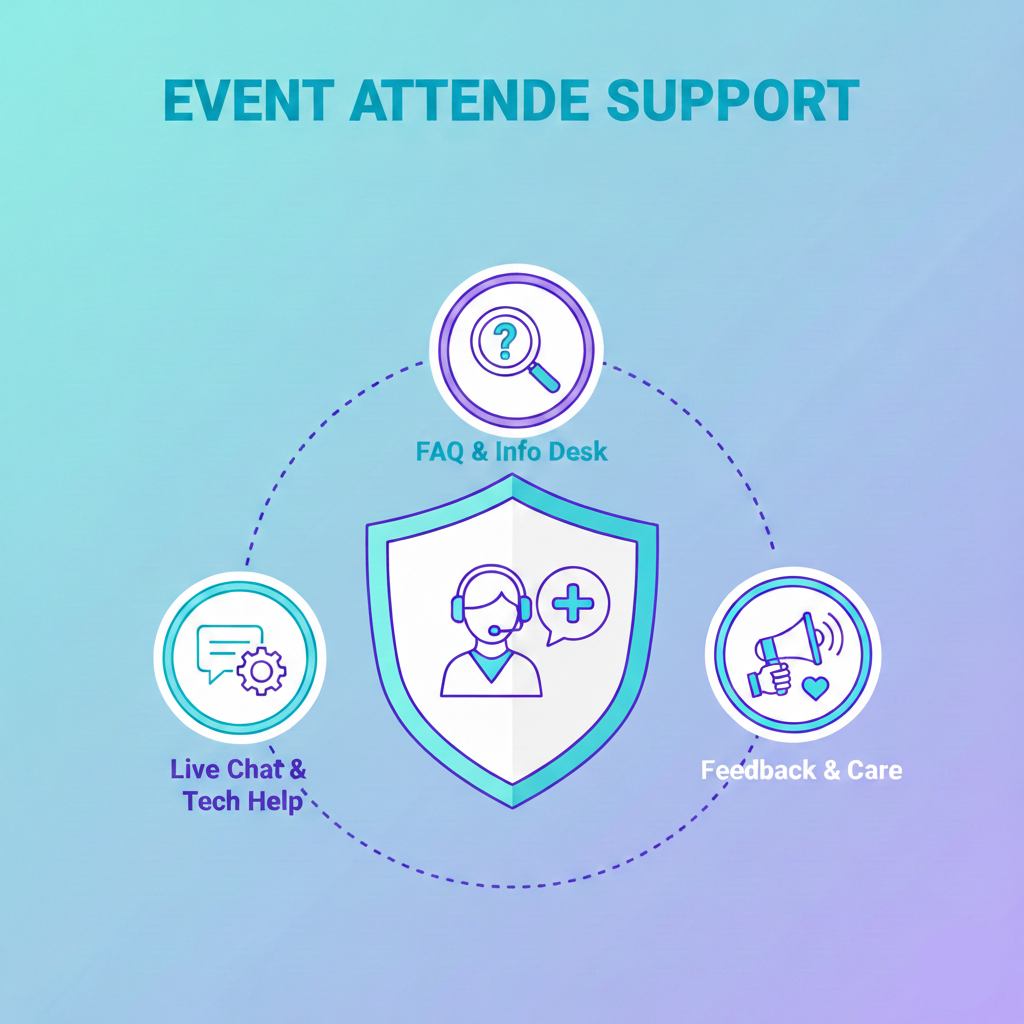
Section 1: The High Stakes of Attendee Questions
Why does speedy support matter so much?
Having attendees wait five minutes for an answer isn’t a disaster. But in the high-pressure environment of a live event, five minutes feels like an eternity.
An event is an experience. Every interaction an attendee has contributes to their overall perception of that experience. If their first interaction is frustration—wandering around looking for a session room or unable to log in to the virtual stage—their perception sours immediately.
The Attention Economy of Events
Attendees are there to learn, network, and do business. They are not there to troubleshoot logistics. Every moment they spend confused about the schedule is a moment they aren’t engaging with your content or your sponsors.
When support is slow, engagement drops. An attendee who can’t find the answer they need quickly will often just give up. They skip the session, they don’t visit the sponsor booth, or they log off the virtual platform early.
The Cost of Human-Powered Support
Relying solely on human staff for basic questions is a poor use of resources. Your event team is skilled. They should be managing complex dynamics, handling speaker needs, and putting out real fires. They should not be acting as human signposts.
When you force high-value staff to repeatedly answer low-value questions, burnout happens fast. By day three of a major conference, your staff is exhausted, and their customer service demeanor often cracks.
Furthermore, humans are not available 24/7. If you are running a virtual or hybrid event with a global audience, attendees in different time zones need support when your local team is asleep. A human help desk simply cannot scale to meet the instantaneous demands of a modern event audience.
You need a system that doesn’t sleep, doesn’t get tired of repeating the Wi-Fi password, and can handle a thousand people asking the same question at once.
Section 2: The Concept of the “AI Info Booth”
Enter the AI agent.
When we talk about AI for events, we aren’t just talking about a basic, pre-programmed chatbot that offers three clickable options. We are talking about a sophisticated, centralized AI agent that acts as the single source of truth for your entire event.
Think of it as a super-volunteer who has memorized every document you have ever created for the event.
This AI Info Booth ingests all your event data. It reads your schedules, speaker biographies, venue maps, sponsor PDFs, and emergency protocols.
Once it understands this data, it can answer natural language questions instantly.
What Can the AI Handle?
If you build this correctly, the AI agent becomes the primary layer of defense for your human support team. It can handle a massive variety of inquiries.
1. Event Logistics & Operations This is the bread and butter of event support.
- “What is the Wi-Fi network and password?”
- “Where is the nearest restroom?”
- “Is there parking available on-site?”
- “When does registration close today?”
- “Where is the lost and found?”
2. Schedule and Agenda Queries Attendees often find event apps clunky to navigate when they just want a quick answer. The AI simplifies this.
- “What is happening right now?”
- “Where is Jane Doe speaking next?”
- “List all the sessions related to AI marketing.”
- “Did the 2 PM workshop get moved?”
3. Speaker and Content Information: Your speaker information bot can provide depth beyond just a name on a schedule.
- “Who is John Smith?”
- “Tell me about the keynote speaker’s background.”
- “Where can I download the slides from the last session?”
4. Sponsor and Exhibitor Engagement You can use the AI to drive traffic to your paying partners.
- “Who are the Gold sponsors?”
- “Where is the Salesforce booth located on the map?”
- “What companies are exhibiting in the healthcare zone?”
5. Technical Troubleshooting (Virtual Events) For a virtual event help desk, speedy tech support is critical.
- “My audio isn’t working.”
- “How do I access the networking lounge?”
- “The video is buffering. What should I do?”
The goal is to deflect 80% to 90% of repetitive questions to the AI. This leaves your human staff fresh and available to handle the remaining 10% of complex, sensitive issues that actually require human empathy and decision-making.
Section 3: The Playbook – Building Your AI Support System
How do you actually create this? In the past, building such a system required a team of developers, weeks of coding, and a significant budget. That is no longer the case.
Today, with the right tools, a single event organizer with zero technical skills can build a comprehensive AI agent in one afternoon.
Here is the practical, step-by-step playbook for constructing your event’s AI brain.
Step 1: The Knowledge Harvest
An AI agent is only as good as the information you give it. Before you touch any software, gather your data. This is the “teaching” phase.
You need to consolidate everything an attendee might ask about into digital formats. The great thing about modern AI agent builders is that they can ingest unstructured data. You don’t need perfectly formatted spreadsheets.
Gather the following assets:
- The Master Schedule: A PDF or document containing every session, time slot, room number, and speaker.
- Speaker Bios: A document compiling photos, bios, and links for all presenters.
- Venue Maps: Floor plans indicating stages, restrooms, food areas, and exits. If it’s a virtual event, provide a guide to the platform interface.
- Sponsor Packets: Lists of sponsors, their booth numbers, and descriptions of their services.
- The FAQ Document: Every event has one. Gather all those questions you answered last year.
- Logistics Sheets: The Wi-Fi info, parking validation details, shuttle bus schedules, and local hotel recommendations.
Do not worry about formatting this data perfectly. The goal is to have it all in one place, ready to upload.
Step 2: Training the Agent
Next, you will import this data into an AI agent builder (we will discuss the best tool for this later).
The process is surprisingly simple. You essentially drag and drop your documents—PDFs, Word docs, Text files—into the system. The AI then “reads” and indexes this information. It builds connections between different data sets. It learns that “Speaker X” is in “Room Y” at “Time Z.”
During this training phase, you should also define the AI’s persona. How should it talk to your attendees?
- Should it be strictly professional and concise?
- Should it be energetic and use emojis?
- Should it have a specific name related to your event theme?
You want the AI to sound helpful and human, in line with your conference’s vibe.
Once the data is uploaded, you must test it. Throw questions at it. Ask tricky questions.
“Where is the keynote?” If it answers correctly, great. “I’m hungry.” Does it know how to recommend the food court on Level 2?
If it gets an answer wrong, you don’t need to write code to fix it. You simply adjust the source document or provide a specific instruction to the AI to clarify that particular topic.
Step 3: Deployment Channels – Meeting Attendees Where They Are
The best AI agent in the world is useless if attendees cannot find it easily. You must reduce friction. If an attendee has to click through five menu layers to find the bot, they won’t use it. They will just see a staff member.
Your AI Info Booth needs to be omnipresent.
1. The Event Website Widget. Months before the event, the AI should live on your event homepage in the bottom right corner. As people register, they will have questions about hotels, travel, and ticketing. The AI handles this pre-event support load instantly.
2. The Conference App Integration. Most modern event management software allows for web embed integrations. Your AI agent should be front and center within your conference app AI. A prominent “Ask for Help” button on the app’s dashboard should launch the agent immediately.
3. The Virtual Platform Sideba.r For virtual events, the AI should be embedded directly into the viewing platform. If they are watching a session and have a question about the next speaker, they shouldn’t have to leave the window to get an answer.
4. The Physical “QR Code Army” (Crucial for In-Person) This is the game-changer for live venues.
You do not want attendees staring at their phones as they walk around. But when they are lost, that is precisely what they do.
Print QR codes that link directly to the AI agent chat interface. Plaster these QR codes everywhere.
- On attendee badges: “Need help? Scan here.”
- On signage stands in the lobby: A large sign that says “Instant Event Info & Maps – Scan for Answers.”
- Outside every session room door: “Questions about this session or schedule? Scan here.”
- At the registration desk: Reduce the line by having people scan for basic info while they wait.
By making the AI accessible via a simple camera scan, you remove the barrier to entry. You turn every attendee’s smartphone into a personalized support staff member.
Section 4: Benefits Beyond Just Speed
Implementing an AI Info Booth obviously helps with speed and staff workload. However, the benefits run deeper than that.
Real-Time Data and Analytics
When attendees ask human staff questions, that data disappears into thin air. You might know that people were confused about the location of Room B, but you have no complex data on how many people asked about it.
An AI agent records every single interaction. This gives organizers a goldmine of real-time intelligence.
By midday on Day 1, you can review the analytics dashboard. You might see that 400 people have asked, “Where is the charging station?”
This tells you immediately that your charging-station signage is failing. You can then send a physical team member to put up better signs.
You might see a spike in questions about a specific speaker. That room may be about to overflow, and you need to prepare overflow seating.
The AI turns anecdotal evidence into actionable data, allowing you to fix logistical problems on the fly before they become major complaints.
Consistent, Accurate Answers
Humans make mistakes. A tired volunteer might accidentally give the wrong start time for a session or misdirect someone.
The AI agent does not have memory lapses. As long as the source data is correct, the AI will provide the same accurate answer to the first person who asks and the five-thousandth person who asks. This consistency improves trust in the event organization.
24/7 Global Support
For hybrid events, your in-person event might end at 5 PM local time. But your virtual audience in Asia or Europe is logging on.
A human support desk closes. The AI stays open. It ensures that international attendees feel just as supported as those physically present. It breaks down time zone barriers, making your event truly globally accessible.
Section 5: The Ideal Tool for the Job – Scalewise.ai
We have established the “why” and the “how.” Now let’s talk about the “what.”
You need a tool that is powerful enough to understand complex event data but simple enough for a busy event organizer to use without calling an IT department.
You need Scalewise.ai.
Scalewise.ai is an AI Agent Builder explicitly designed for this kind of task. It is the ideal solution for creating your event’s AI Info Booth for several key reasons.
Truly No-Code
Many platforms claim to be “no-code” but still require a steep learning curve or an understanding of complex logic flows. Scalewise.ai is different. If you can upload a file and type a sentence, you can build an agent on Scalewise.
You do not need to understand machine learning. You just need to know your event details.
Rapid Deployment
Event organizers do not have weeks to spare. You need solutions yesterday.
With Scalewise.ai, you can go from zero to a fully functioning event support bot in just a few hours. You can gather your PDFs in the morning, train the agent before lunch, test it in the afternoon, and have it live on your website by dinner.
Powerful Data Ingestion
Scalewise.ai excels at taking unstructured data—like those messy speaker bio documents or complex schedule grids—and making sense of them. You don’t need to spend hours reformatting your data to fit the machine. The machine adapts to your data.
Free to Start
Budgets are always tight in event management. Scalewise.ai offers a robust free tier that allows you to build and test your agent without upfront risk. You can prove the value to your stakeholders before committing a dime.
Conclusion
The chaos of event day is legendary, but it doesn’t have to be inevitable.
The reliance on shouting staff members and static paper guides is a relic of the past. Today’s attendees expect instant gratification. They want answers now, on their own devices, without waiting in line.
By building a centralized AI Info Booth, you are not just adopting new technology; you are fundamentally improving the attendee experience. You are freeing your staff from the drudgery of repetitive questions, so they can focus on creating a memorable event. You are gaining real-time insights into what your attendees need right this second.
The tools exist. They are easy to use and affordable. It is time to quiet the noise of logistical questions and let your event content take center stage.
FAQs About AI Event Support
Q: Will an AI agent replace my human staff?
A: Absolutely not. It is designed to augment your staff, not replace them. The AI handles the repetitive, high-volume questions (Wi-Fi, schedule, directions). This frees up your human team to handle complex, emotional, or VIP situations that require a personal touch.
Q: How accurate are these AI agents? What if it gives the wrong answer?
A: The AI is only as accurate as the data you feed it. If your schedule document is correct, the AI’s answers will be correct. Modern AI is very good at understanding context. During the testing phase, you can catch any misunderstandings and correct the AI with simple instructions before it goes live to attendees.
Q: Do I need technical skills or coding knowledge to build this?
A: Not anymore. With platforms like Scalewise.ai, the process is entirely no-code. It is as easy as uploading documents to Google Drive or Dropbox. If you can organize files, you can build an AI agent.
Q: How long does it take to set up?
A: Depending on how organized your event data is, you can have a basic, functional agent running in a few hours. We recommend allocating a day or two for thorough testing and refining the bot’s persona to ensure it’s perfect for event day.
Q: Is this only for huge conferences?
A: No. Even a 200-person event generates thousands of questions that distract the organizer. Whether you have 200 attendees or 20,000, an AI agent improves the experience and reduces your stress load.
Q: Can the AI handle different languages for international attendees?
A: Yes, many advanced AI models, including those used by Scalewise.ai, have multilingual capabilities. They can often detect the language the attendee is typing in and respond in that same language, drawing from the English source data.