


“Cut your support costs by deploying Internal Help Desk Automation to instantly answer 40% of repetitive IT and HR questions, freeing your teams to focus on high-value work.”
Is your team’s Slack channel a constant stream of the same questions? “What’s the Wi-Fi password again?” “How do I request a new laptop charger?” “Where can I find the parental leave policy?” If you’re an IT or HR manager, this probably sounds painfully familiar. It’s the digital equivalent of Groundhog Day. Your highly skilled support team, hired to tackle complex technical challenges and strategic initiatives, spends a massive chunk of its day acting as a human search engine.
This isn’t just annoying; it’s a significant drain on your company’s resources. Every one of those repetitive tickets represents a double loss of productivity. First, your support agent stops what they’re doing to answer a question they’ve responded to a hundred times before. Second, the employee who submitted the ticket is stuck, unable to work until they get a response.
Let’s put some numbers to this. Industry analysts estimate the average cost of a single Tier 1 support ticket is somewhere between $15 and $25. This calculation includes the support agent’s salary, the overhead for the ticketing system, and, most importantly, the cost of the employee’s lost productivity while they wait.
Think about your own organization. If your team handles 1,000 tickets a month, and we take a conservative cost of $20 per ticket, you’re spending $20,000 every single month on internal support. What if 40% of those tickets are simple, repetitive questions? That’s $8,000 a month—nearly $100,000 a year—spent on tasks that could, and should, be automated.
The problem goes beyond just dollars and cents. It’s about morale. Your support staff gets burned out answering the same questions, feeling like their skills are being wasted. Meanwhile, your employees get frustrated waiting for simple answers that block their work. It creates a culture of friction and inefficiency.
But what if you could stop these tickets from ever being created in the first place? What if you could provide your employees with instant, 24/7 answers right where they work, like on Slack or Microsoft Teams? This isn’t a futuristic dream; it’s the reality of internal help desk automation, a strategy designed to deflect common queries before they ever become a ticket. It’s about shifting from a reactive support model to a proactive, self-service one that empowers everyone.
The Old Way vs. The Smart Way: Evolving from Tier 1 to Tier 0
For decades, the standard for support has been a tiered system. An employee has a problem, they create a ticket, and it lands in the Tier 1 queue. Tier 1 is the frontline, handling high-volume, low-complexity issues such as password resets and access requests. If they can’t solve it, they escalate it to the more specialized Tier 2 or Tier 3 teams.
This model works, but it has a fundamental flaw: the bottleneck. Tier 1 is staffed by humans who can only handle one request at a time. They take breaks, go on vacation, and sleep at night. As a company grows, the volume of Tier 1 tickets increases, forcing a difficult choice: hire more support staff (which increases operational costs) or let wait times grow (which decreases employee satisfaction).
Now, imagine a new, foundational layer to this model: Tier 0.
Tier 0 isn’t a team of people; it’s an intelligent, automated system. It’s an internal chatbot or AI agent that serves as the primary point of contact for all employee queries and concerns. This agent is trained on your company’s specific knowledge—every IT guide, every HR policy, every process document—and is available instantly, 24/7, to answer questions.
Think of it like this: you’ve just hired the most dedicated employee imaginable. This employee has perfectly memorized your entire company intranet, every page on Confluence, and every PDF in your shared drive. They never get tired, never call in sick, and can have hundreds of conversations simultaneously. When someone asks, “How do I set up my VPN?” this employee not only knows the answer but can also provide the exact steps, link to the correct guide, and even offer to walk the user through the process, all within seconds.
This is the power of an internal AI agent. It handles the vast majority of repetitive, informational requests that currently clog up your Tier 1 queue. The ticket is deflected because the employee gets their answer instantly, without needing to involve a human. The only queries that become actual tickets are those that are complex, unique, or sensitive and truly require a human touch. Your Tier 1 team is transformed from a password-resetting machine into a group of expert problem-solvers.
The Mechanics of a Ticket-Deflecting Machine
How does this AI-powered Tier 0 support actually work? It’s not about programming complex conversational flows or spending months “training” a rigid, old-school chatbot. Modern internal help desk automation is built on a much simpler and more powerful foundation: knowledge base integration.
The AI agent’s brain is your existing documentation. All those guides, policies, and process documents you’ve already created are the fuel. The system securely connects to these sources, whether they live in Confluence, SharePoint, Google Drive, Notion, or just a folder of PDFs. It uses advanced natural language processing to read and understand the content, turning your scattered documents into a centralized, searchable intelligence.
The beautiful part is that this process is dynamic. When you update your travel and expense policy in a Google Doc, the AI instantly recognizes the new information. There’s no need to retrain the bot manually. Your single source of truth for your human team becomes the single source of truth for your AI agent.
Let’s break down how this strategy solves real-world problems across different departments.
Revolutionizing IT Service Management (ITSM)
The IT help desk is often the epicenter of ticket overload. The issues are frequent, urgent, and overwhelmingly repetitive. Here’s how an AI agent can provide immediate relief.
- The Ultimate Password Reset Bot: Password-related issues can account for a staggering 20-30% of all IT tickets. An employee forgets their password, gets locked out, and is completely blocked. Instead of creating a ticket, they can now simply message the IT bot on Slack: “I’m locked out of my account.” The bot immediately initiates a secure, automated workflow. It can guide them to the self-service password reset portal, verify their identity through multi-factor authentication, and resolve the issue in under a minute. Ticket deflected.
- Streamlining Software Access Requests: The process for getting access to new software is often a mystery. An employee DMs a random person in IT, who then directs them to fill out a form that requires manager approval. It’s slow and inefficient. With an AI agent, the employee just asks, “How do I get a license for Adobe Photoshop?” The bot can instantly respond with the policy for requesting creative software, provide a direct link to the correct request form in your ticketing system (like Jira or ServiceNow), and explain the approval process. It turns a multi-step human interaction into a one-step self-service action. Ticket deflected.
- Instant Troubleshooting for Common Issues: “My VPN isn’t connecting.” or “I can’t print to the 3rd-floor printer.” These are familiar cries for help. Before, they would immediately become tickets. Now, the AI agent is the first responder. It can ask clarifying questions (“Are you on the corporate Wi-Fi?” “Have you tried restarting the application?”) and provide a checklist of troubleshooting steps directly from your IT knowledge base. In most cases, users can resolve their own problems with this guided help. Only if the steps fail does the bot offer to create a ticket, which will already be populated with the troubleshooting steps the user has taken, saving the IT agent valuable diagnostic time.
- Automating Hardware and Equipment Requests: An employee needs a new monitor or a replacement keyboard. Instead of emailing the help desk, they ask the bot. The bot can display the approved hardware catalog, explain the request process, and direct them to the procurement form. It ensures requests are standardized and routed correctly from the very beginning.
Creating a Scalable, 24/7 HR Help Desk
The HR department is another prime candidate for automation. They handle sensitive and crucial employee information, but a considerable portion of their time is also spent answering routine policy and procedure questions. An HR help desk software solution powered by AI can transform the employee experience.
- On-Demand Policy Clarification: Questions about policies are endless. “How many PTO days do I have left?” “What is our company’s policy on remote work?” “Can you explain the parental leave benefits?” Instead of making an employee hunt through a dense handbook or wait for an HR business partner to reply, an HR bot can provide an immediate and accurate answer. It can pull the exact paragraph from the official policy document and present it clearly to the employee. This not only saves time but also ensures every employee receives the same, consistent information, reducing compliance risks. Ticket deflected.
- Seamless Employee Onboarding: A new hire’s first few weeks are a whirlwind of questions. “How do I enroll in health benefits?” “Where do I submit my tax forms?” “What’s the dress code?” An AI agent can act as a dedicated onboarding buddy. It can proactively provide a checklist of tasks and be available 24/7 to answer the flood of questions that new employees have. This makes new hires feel supported and empowered from day one, and it frees up the HR team to focus on the more human elements of onboarding.
- Simplifying Payroll and Benefits Administration: Employees frequently have questions about their pay, benefits, and retirement plans. “When is the next payday?” “How do I access my pay stubs?” “What’s the deadline for open enrollment?” The HR bot can instantly answer these factual questions, pulling dates from a master calendar and linking directly to the payroll provider or benefits portal. This self-service model for common inquiries significantly reduces the administrative burden on the HR and payroll teams.
This principle extends to any department. Finance can use it to answer questions about expense reports. Operations can use it to clarify procurement procedures. Legal can use it to guide employees on how to obtain a signed NDA. The common thread is empowering employees with a conversational, immediate, and intuitive employee self-service portal that integrates seamlessly with the tools they already use every day.
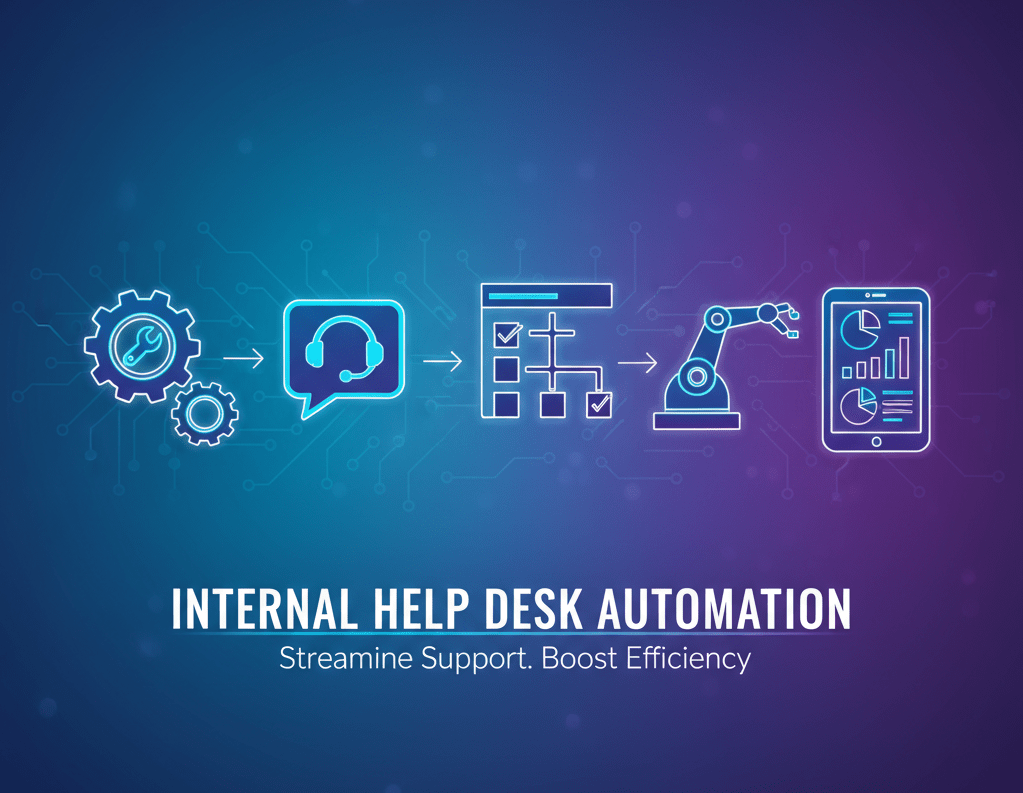
The Compounding Returns of Automation
Implementing internal help desk automation isn’t just about deflecting tickets; it’s about creating a ripple effect of positive change throughout your organization. The benefits are significant, measurable, and they grow over time.
1. Dramatically Reduce Operational Costs
This is the most direct and easily measured benefit. Let’s revisit our earlier calculation. Your company handles 1,000 internal support tickets per month at an average cost of $20 each, totaling $20,000 per month.
By deploying an AI agent to handle Tier 0 support, you successfully deflect 40% of those tickets.
- Tickets deflected per month: 1,000 tickets * 40% = 400 tickets
- Monthly savings: 400 tickets * $20/ticket = $8,000
- Annual savings: $8,000/month * 12 months = $96,000
You’ve just saved nearly six figures with one strategic change. This money can be reinvested into more critical projects. Furthermore, you can now scale your company’s headcount without needing to scale your support team headcount proportionally. Your support efficiency skyrockets, allowing you to support more employees per agent.
2. Boost Employee Satisfaction and Productivity
The hidden cost of inefficient internal support is employee friction. Waiting kills productivity. An engineer who is locked out of their account for an hour isn’t just losing that hour; their entire workflow is disrupted. A salesperson waiting for access to Salesforce can’t update their pipeline.
Instant answers mean instant productivity. When employees can resolve their own issues in seconds, they stay in their flow state and remain focused on their core responsibilities. This creates a vastly improved employee experience. It sends a clear message that the company values its time. This is especially critical for remote and global teams. An employee in a different time zone no longer has to wait until the next morning for the US-based help desk to come online. They get the same level of instantaneous support, 24/7.
3. Empower and Retain Your Support Teams
Nobody gets into IT or HR because they dream of resetting passwords or telling people where to find a form. They do it to solve meaningful problems. Forcing your skilled technical and HR professionals to handle an endless barrage of repetitive, low-value tasks is a recipe for burnout and turnover.
Tier 1 support automation frees your team from this monotony. It enables them to transition from reactive ticket-takers to proactive problem solvers. Your IT team can now focus on strengthening network security, improving infrastructure, and managing strategic software rollouts. Your HR team can dedicate more time to talent development, culture initiatives, and complex employee relations. Their work becomes more engaging and impactful, resulting in higher job satisfaction and improved employee retention.
4. Ensure Consistent, Accurate, and Compliant Answers
Humans make mistakes. One support agent might interpret a policy slightly differently from another. They might forget a step in a troubleshooting guide. This inconsistency can confuse and, in the case of HR or legal policies, even create compliance risks.
An AI agent, on the other hand, provides a single source of truth. It pulls its answers directly from your official, approved documentation. Every single employee who asks about the parental leave policy gets the same, verbatim answer from the employee handbook. This consistency is vital for ensuring fairness and mitigating risk. The AI can even cite its sources, showing the employee the exact document and page number where it found the information, building trust and transparency in the system.
The Fastest Path to Automation: Introducing Scalewise.ai
The strategy is clear, and the benefits are compelling. The next logical question is, “This sounds great, but how do we build it? Won’t this require a team of expensive developers and a massive, months-long implementation project?”
In the past, the answer would have been yes. But technology has evolved. Today, you can build and deploy a powerful internal AI agent in a matter of hours, without writing a single line of code.
This is where Scalewise.ai comes in.
Scalewise.ai is a free, no-code AI Agent Builder explicitly designed for internal teams, such as IT, HR, and Operations. We believe that the power of automation should be accessible to everyone, not just companies with huge budgets and dedicated AI teams. Our platform was designed to eliminate all barriers to entry, enabling you to start deflecting tickets and realizing a return on investment from the very first day.
Here’s what makes Scalewise.ai the most efficient way to implement your internal help desk automation strategy:
- Truly No-Code: You don’t need to be a technical expert. If you can organize files in a folder or write a document, you have all the skills you need to build a sophisticated AI agent. The interface is intuitive and user-friendly.
- Connect Your Existing Knowledge: There’s no complex setup or data migration. You simply connect Scalewise.ai to the places where your knowledge already lives. Point it to your Confluence space, connect your Google Drive, upload your HR policy PDFs, or scrape your internal company website. Your agent will securely ingest and understand this information within minutes.
- Deploy in Seconds: Once your agent has learned from your knowledge base, you can deploy it to the platforms your employees use every day. Want an internal chatbot on Slack? We give you a simple button to click. Would you like to add it to your company’s intranet? Just copy and paste a small snippet of code. It’s that easy.
- Free to Get Started: We mean it. You can sign up for Scalewise.ai and build your first AI agent for free. You can test it, see the value it provides, and start deflecting tickets without any financial commitment. We are confident that once you know the impact, the value will be undeniable.
- Built for Internal Support: Our platform is designed from the ground up for use cases like IT and HR support. It understands the need for accuracy, security, and seamless escalation. When the AI doesn’t know an answer, it can be configured to intelligently route the user to create a ticket or connect with a live agent.
Getting started with Scalewise.ai is a simple three-step process:
- Sign Up: Create your free account in under a minute.
- Add Knowledge: Connect your knowledge sources with a few clicks.
- Deploy: Add your new AI agent to Slack, Microsoft Teams, or your website.
In a single afternoon, you can go from being overwhelmed by repetitive tickets to having a 24/7 AI-powered assistant that empowers your employees and frees up your support teams.
Don’t Just Manage Tickets—Eliminate Them
The way we work has changed. The expectation for instant access to information is now standard in our consumer lives, and employees bring that same expectation to the workplace. A slow, ticket-based system for simple questions is no longer acceptable. It’s a relic of a past era.
The future of internal support is not about answering questions faster; it’s about making it so employees don’t have to ask in the first place. It’s about providing an innovative, intuitive, and immediate self-service experience. By embracing internal help desk automation, you can break the endless cycle of repetitive tickets, lower your operational costs, and foster a more productive and satisfying work environment for everyone.
Stop letting password resets and policy questions drain your most valuable resources. It’s time to empower your teams and your employees.
Ready to see it in action? Build your AI help desk agent with Scalewise.ai today and start deflecting tickets this week.
Frequently Asked Questions (FAQs)
Q1: How secure is our company data if we connect it to an AI agent?
This is a critical question, and security is paramount. Platforms like Scalewise.ai are built with enterprise-grade security in mind. This includes end-to-end data encryption, both in transit and at rest. The AI agent operates on a need-to-know basis, accessing only the information you provide it and adhering to strict access controls. Always look for providers who are transparent about their security practices and compliance certifications.
Q2: How accurate is the AI? What if it gives employees the wrong answer?
The accuracy of a modern AI agent is directly tied to the quality of your knowledge base. It does not “hallucinate” or make things up; it can only provide answers based on the specific information you have given it. If your policy document is correct and up-to-date, the AI’s answer will be accurate. To build trust, good platforms also include a feature for citing sources, where the AI links directly to the document or page it used to formulate the answer, allowing employees to verify the information for themselves.
Q3: What happens if the AI doesn’t know the answer to an employee’s question?
No AI knows everything. A well-designed system understands its own limitations. When the agent encounters a question it cannot answer from its knowledge base, it should perform a seamless escalation. This means it should not just say “I don’t know.” Instead, it should offer clear next steps, such as, “I can’t find the answer to that in our knowledge base. Would you like me to create a support ticket for you?” or “Click here to chat with a live HR agent.” This ensures that the employee is never left at a dead end.
Q4: How much ongoing work and maintenance is required to keep the AI agent running?
The maintenance is surprisingly minimal and aligns with existing best practices. The primary task is to keep your source documentation (your knowledge base) accurate and up-to-date. If you update a policy, you update the document, and the AI automatically learns the new information. There is no need for constant “retraining” or tweaking of the AI itself. The platform handles the technical upkeep, allowing you to focus on the quality of your content.
Q5: Can we customize the AI agent’s name and personality to fit our company culture?
Absolutely. You don’t want a generic, robotic-sounding bot. Most modern platforms, including Scalewise.ai, allow you to customize your agent. You can give it a name (like “IT-Bot” or “HR-Helper”), an avatar, and configure its tone of voice—whether you want it to be strictly professional, friendly and helpful, or even a bit humorous to match your company’s brand and culture.
Q6: There are many chatbot builders out there. What makes a solution like Scalewise.ai different?
Many general-purpose chatbot builders require you to manually create complex “if-this-then-that” conversational flows, which are brittle and time-consuming to build and maintain. Scalewise.ai is different because it’s built on a knowledge-base-first approach specifically for internal support. You don’t make conversations; you provide knowledge, and the AI handles the conversation naturally. This, combined with the no-code interface, the free starting point, and its focus on solving specific IT and HR ticket overload problems, makes it a much faster and more effective solution for this use case.